Crafting the Perfect Subject Line
The subject line is the first impression you make on a potential employer, making it a critical element of your email. A well-crafted subject line can significantly increase the chances of your email being opened and read. It immediately tells the recipient what the email is about, helping them prioritize and understand the content quickly. A clear, concise, and professional subject line sets the tone for the entire communication and ensures that your application doesn’t get lost in a crowded inbox. It’s your initial opportunity to grab the hiring manager’s attention and showcase your professionalism. Avoid generic subject lines; instead, personalize it to the specific job and company whenever possible.
Why the Subject Line Matters
The subject line’s importance stems from its role as the initial filter for the recipient. Hiring managers often receive hundreds of applications, and they use the subject line to quickly triage emails. A vague or unprofessional subject line can lead to your email being overlooked or even deleted. On the other hand, a subject line that’s clear, relevant, and professional signals that you’ve paid attention to detail and are serious about the opportunity. It also aids in searchability; if a hiring manager needs to find your email later, a well-defined subject line makes it easy to locate. In essence, the subject line is your silent advocate, working to get your application noticed and considered.
Best Practices for Subject Lines

To create an effective subject line, start by being specific. Include the job title you’re applying for and your name. For example, “Application for Marketing Manager - Jane Doe” is much better than “Resume.” If the job posting provides instructions, follow them precisely. Keep it concise, ideally under 60 characters, to ensure it’s fully visible on various devices. Avoid using generic phrases like “Resume Attached.” Always proofread your subject line for any errors. Consider including a reference number if provided in the job posting. Finally, make sure your subject line is professional; avoid slang, emojis, and overly casual language. The goal is to be clear, professional, and easy to understand.
Writing the Email Body
The email body is your opportunity to make a compelling first impression and highlight your qualifications. This is where you introduce yourself, express your interest in the position, and briefly summarize why you’re a good fit. The email body should be well-structured, professional, and engaging. It’s not just a formality; it’s a chance to personalize your application and showcase your communication skills. Keep it concise, focused, and tailored to the specific job. Avoid using the same generic email for every application; instead, customize each one to reflect the requirements of the role and the values of the company. The email body is your chance to shine and make a lasting impression.
Opening & Introduction
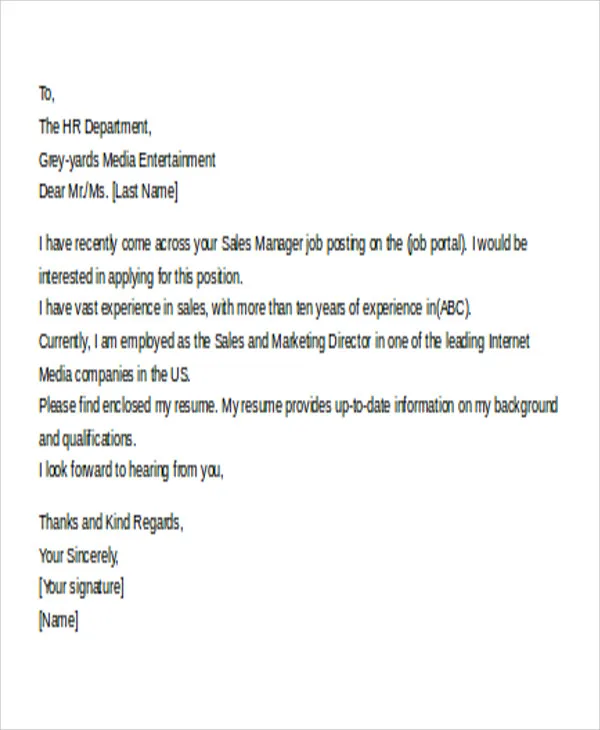
Start your email with a professional salutation, such as “Dear Mr./Ms./Mx. [Last Name],” if you know the hiring manager’s name. If not, “Dear Hiring Manager” is acceptable. Briefly introduce yourself and mention the position you’re applying for. State where you saw the job posting (e.g., LinkedIn, company website) and why you’re interested in the role and the company. Keep the introduction brief and to the point; your goal is to grab their attention quickly. Show genuine enthusiasm for the opportunity. Avoid overly casual or informal openings. A strong opening sets the stage for the rest of your email and encourages the reader to continue.
Highlighting Your Qualifications

In a concise paragraph or two, highlight your most relevant skills and experience. Don’t simply repeat your resume; instead, focus on the key qualifications that align with the job description. Provide specific examples of your accomplishments and how they relate to the role. Use action verbs to describe your achievements and quantify your results whenever possible. Show, don’t just tell, by providing concrete examples that demonstrate your value. This is your opportunity to showcase why you are the ideal candidate. Keep it focused and tailored to the specific requirements of the job. This section should be a compelling summary of your key strengths and how they match the employer’s needs.
Expressing Your Enthusiasm
Convey your genuine enthusiasm for the opportunity and the company. Explain why you are excited about this specific role and what you hope to achieve. Demonstrate that you’ve researched the company and understand its mission and values. This shows that you’re not just sending out generic applications but are genuinely interested in the opportunity. This is the perfect place to mention specific aspects of the role or the company that particularly appeal to you. Make sure your enthusiasm feels authentic. This adds a personal touch to your application and makes you more memorable. Show that you’re eager to contribute and make a difference.
Closing the Email
Close your email with a professional closing, such as “Sincerely,” “Best regards,” or “Thank you.” Reiterate your interest in the position and thank the hiring manager for their time and consideration. Include a call to action, such as stating that you look forward to hearing from them soon. Ensure that your contact information (phone number and email address) is easily accessible. This is a polite way to end your email and leaves a positive lasting impression. Make sure your closing is consistent with the tone of the rest of your email. A well-crafted closing reinforces your professionalism and leaves the recipient with a favorable impression.
Attaching Your Resume and Cover Letter

Attaching your resume and cover letter correctly is essential for a professional application. Your attachments should be easily accessible and clearly labeled. Always double-check that you’ve attached the correct versions of your documents before sending. A simple mistake here can undermine all the effort you’ve put into your application. This section provides guidance on how to ensure your documents are properly formatted and accessible, preventing any potential issues during the application process. Following these guidelines increases the chances of your application being reviewed and considered. Proper attachment ensures that potential employers can easily access and evaluate your qualifications.
File Format Recommendations
Use PDF format for your resume and cover letter whenever possible. PDFs preserve the formatting of your documents, ensuring they appear as you intended, regardless of the recipient’s operating system or software. This is crucial to maintain the professional appearance of your application. If the job posting explicitly requests a different format, follow their instructions. Avoid using formats like DOCX unless specifically requested, as they can sometimes have compatibility issues. Always ensure your PDF files are readable and well-formatted. The right file format ensures that your application is easy to read and presents your information correctly.
Naming Your Files Correctly
Name your files in a clear and professional manner. Use a consistent naming convention, such as “Your Name_Resume.pdf” and “Your Name_CoverLetter.pdf.” This makes it easy for the hiring manager to identify your documents and keeps your files organized. Avoid using generic names like “resume.pdf” or “coverletter.pdf,” as these can quickly get lost in a busy inbox. Including your name ensures that the documents are easily associated with your application. The naming convention should be concise and easy to understand. Using a clear naming structure ensures that your application is easily managed and tracked by the recipient.
Proofreading and Reviewing

Proofreading and reviewing your email, resume, and cover letter is non-negotiable. Errors, no matter how minor, can undermine your credibility and give the impression that you lack attention to detail. Take the time to meticulously check for typos, grammatical errors, and inconsistencies in your documents. Consider asking a friend, family member, or career counselor to review your application materials as well. A fresh pair of eyes can often catch errors that you might have missed. This is a critical step in ensuring that your application presents you in the best possible light. A polished application shows professionalism and respect for the opportunity. The goal is to present a flawless application.
Checking for Errors
Carefully check your email, resume, and cover letter for any spelling or grammatical errors. Use a spell checker and grammar checker, but don’t rely on them entirely. Proofread each document multiple times, reading slowly and paying close attention to detail. Check for consistency in formatting, font styles, and spacing. Ensure that all dates, names, and titles are accurate. Review the content for clarity, ensuring that your message is easily understood. This step is crucial to ensure that your application conveys a professional image. A clean and error-free application increases your chances of making a positive impression.
Testing Your Email
Before sending your email to a potential employer, test it by sending it to yourself or a friend. This allows you to see how your email appears on different devices and in various email clients. Check that your formatting is correct, attachments are working, and all links are functional. Verify that the subject line is displayed correctly and that the email body is easy to read. This step helps catch any technical issues that could prevent the hiring manager from receiving or properly viewing your application. This also ensures that you’re presenting a professional image and a seamless experience for the recipient. A test email gives you peace of mind and avoids potential embarrassment.
Sending Your Email

When you’re ready to send your email, double-check everything one last time. Ensure you’ve addressed the email correctly, attached the appropriate documents, and proofread the subject line and body. Use a professional email address; avoid using nicknames or unprofessional email addresses. Send the email from your primary email account that you regularly check. This ensures that you receive any replies promptly. Be confident in your application and submit it with the best possible impression. Send with confidence, knowing that you’ve prepared your application thoroughly. The final step involves sending your application with a sense of professionalism and optimism.
When to Send Your Email
Consider the timing of your email. While there’s no definitive “best” time, sending your email during business hours can be advantageous. Many hiring managers review applications during regular work hours. Avoid sending emails late at night or very early in the morning, unless the job posting specifically mentions a deadline or preferred time. If there is a specific deadline, make sure to submit your application well before the deadline to avoid technical issues. Sending your application during a time when hiring managers are most likely to be reviewing emails can increase your chances of getting noticed. This is a subtle but strategic aspect of the application process.
Following Up (If Necessary)
After sending your application, it’s sometimes appropriate to follow up. If you haven’t heard back within a reasonable timeframe (typically one to two weeks), sending a polite follow-up email is acceptable. Reference the job title and your original application in your follow-up email. Keep it brief and express your continued interest in the position. Reiterate your qualifications and thank the hiring manager for their time. Avoid excessive follow-ups, as this can be seen as pushy. Follow-up demonstrates your continued interest and professionalism. It’s a subtle reminder of your application. This is a crucial step to show your keen interest in the opportunity.