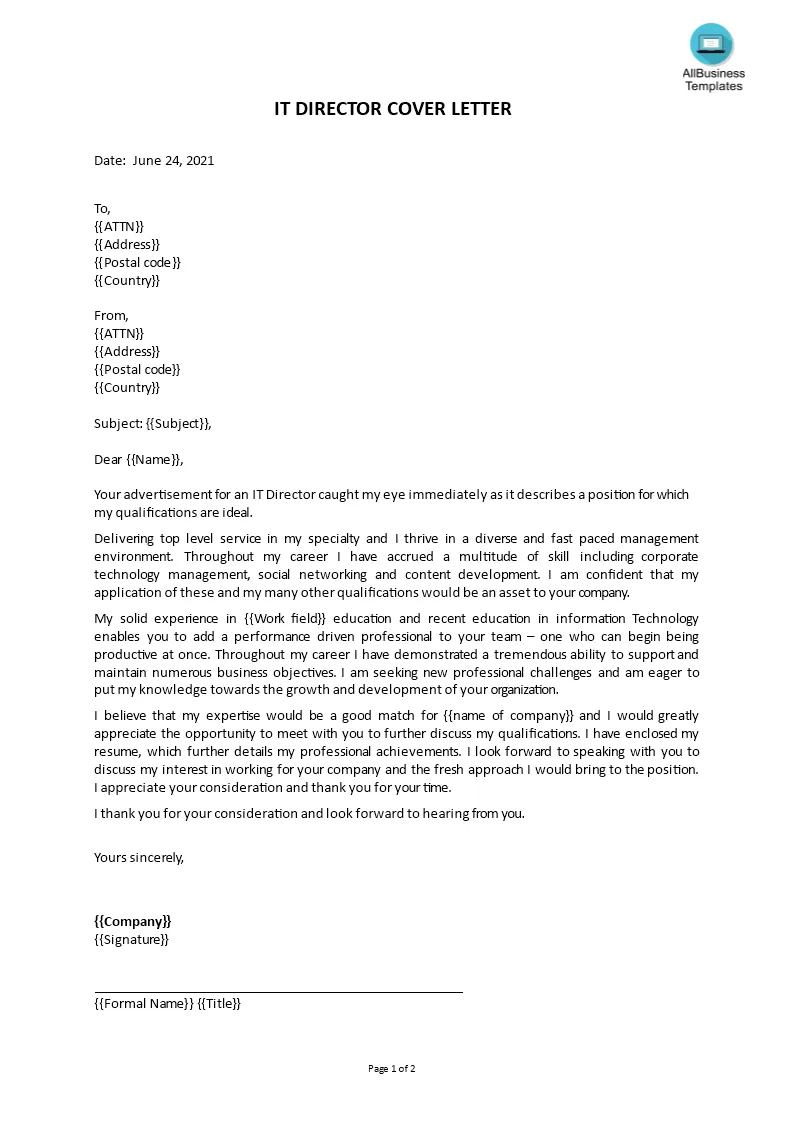
Understanding Cover Letter Emails
In the digital age, the way you submit your cover letter has evolved, with email becoming the standard. Understanding how to write a compelling cover letter email is crucial for making a positive first impression on potential employers. This guide provides a comprehensive overview of writing effective cover letter emails, ensuring your application stands out. It covers everything from crafting the perfect subject line to formatting your email body, including tips for attachments, and avoiding common pitfalls.
Why Cover Letters in Emails Matter
Cover letters in emails are more than just a formality; they are your first direct interaction with the hiring manager. They provide context to your resume and allow you to express your interest in the role, highlight your skills, and demonstrate your personality. A well-written cover letter email shows that you’ve taken the time to understand the job requirements and tailor your application accordingly. It sets the tone for your candidacy and can significantly impact whether or not you get an interview. A cover letter emailed acts as a first impression.
Best Practices for Cover Letter Emails

Subject Lines That Get Opened
Your email subject line is the first thing a recruiter sees, making it critical for getting your email opened. A clear, concise subject line that immediately identifies the purpose of your email is the most effective approach. Avoid generic phrases. Instead, include the job title and your name. For example, use ‘Application for Marketing Manager Position – Jane Doe’ rather than a vague subject like ‘Job Application’. This helps the recipient quickly understand the email’s content and prioritize it. A well-crafted subject line increases the chances of your email being read.
Crafting the Email Body
The email body should be a brief, compelling summary of your qualifications and why you’re a good fit for the role. Start with a professional greeting, such as ‘Dear [Hiring Manager name]’ if you know it, or ‘Dear Hiring Team’ if not. Briefly state the position you’re applying for and how you found it. In the following paragraphs, highlight 2-3 key skills or experiences that align with the job requirements. Express your enthusiasm for the opportunity and the company. Keep it concise, and make sure to proofread carefully before sending.
Formatting and Tone

Maintain a professional and respectful tone throughout your email. Use a formal greeting and closing, such as ‘Sincerely’ or ‘Best regards.’ Ensure your email is easy to read by using clear formatting, including short paragraphs and bullet points when necessary. Avoid slang, jargon, or overly casual language. Use a professional email signature that includes your name, phone number, and LinkedIn profile (optional). A well-formatted, professional email shows that you are serious about the opportunity and pay attention to detail.
Essential Components
Your cover letter email should include a clear statement of the position you’re applying for, where you saw the job posting, and why you are a good fit for the role. Highlight 2-3 of your most relevant skills or experiences. Briefly explain how your skills align with the job description. Express your enthusiasm for the company or role. Include a call to action, such as encouraging the hiring manager to review your attached resume and contact you for an interview. Finally, include your contact information in your signature.
Attachment Best Practices
Always attach your cover letter and resume as PDFs. This ensures that your formatting remains consistent regardless of the recipient’s email client or device. Name your files clearly, such as ‘Jane Doe Cover Letter’ and ‘Jane Doe Resume’. Refer to your attachments in the email body, so the recipient knows what to expect. Avoid sending large attachments, which may be blocked by some email providers. Keep your attachments professional and easy to read. Make sure both documents are updated.
Email Sign-off and Contact Information

End your email with a professional closing, such as ‘Sincerely,’ ‘Best regards,’ or ‘Thank you for your time and consideration.’ Follow this with your full name. Include your contact information in your email signature, including your phone number and a link to your LinkedIn profile (optional). Review the job posting for any specific instructions on how to apply. If you’re unsure, a professional email signature with your contact information is a must. Ensure all information is up-to-date.
Cover Letter Email Examples
Example for a Job Application
Dear [Hiring Manager Name], I am writing to express my interest in the Marketing Manager position at [Company Name], as advertised on [Platform]. With over five years of experience in digital marketing, I have a proven track record of success in developing and executing marketing strategies. My skills in SEO, content marketing, and social media management align perfectly with the job requirements. I’m excited about the opportunity to contribute to [Company Name]’s growth. Please find my resume and cover letter attached for your review. I look forward to hearing from you soon. Sincerely, [Your Name].
Example for Networking

Dear [Contact Name], I hope this email finds you well. My name is [Your Name], and I am a [Your Profession]. I am reaching out to connect regarding my interest in a [Job Title]. I noticed [Company Name] has a strong reputation for innovation and I’m very interested in the work that you’re doing. Would you be open to a brief call? I’ve attached my resume for your reference. Thank you for your time and consideration. Best regards, [Your Name].
Common Mistakes to Avoid
Ignoring the Recipient
Failing to address the hiring manager or using a generic greeting can make your email seem impersonal and less likely to be read. Always try to find the hiring manager’s name and use it in your greeting. If you can’t find a name, use a professional greeting like ‘Dear Hiring Team’. Avoid generic greetings that show you haven’t put in the effort to personalize your email. Personalizing your email demonstrates your attention to detail and genuine interest in the opportunity. Ignoring the recipient or getting the name wrong is a huge no-no.
Using Generic Language

Using generic, mass-produced language or copying from a template without personalization can make your email seem insincere. Tailor your email to the specific job and company. Highlight how your skills and experience align with the role’s requirements. Show that you understand the company’s mission and values. Avoid clichés and vague statements. Instead, use specific examples of your accomplishments. Make sure to demonstrate a genuine interest in the position and company.
Sending Without Proofreading
Typos, grammatical errors, and formatting inconsistencies can undermine your credibility. Always proofread your email and attachments carefully before sending. Use spell check, but also read the email aloud to catch any errors. Ask a friend or colleague to review your email for a second opinion. A polished, error-free email demonstrates your attention to detail and professionalism. Before hitting send, ensure everything is perfect, which will make all the difference.
Tips for Success
Tailoring to the Specific Job

Customizing your cover letter email for each job application significantly increases your chances of success. Carefully review the job description and identify the key skills and experiences the employer is seeking. Highlight the skills and experiences in your email body that align with the job requirements. Show how your qualifications meet the employer’s needs. This demonstrates that you understand the role and are genuinely interested in the opportunity. Make sure to customize it for each and every job.
Highlighting Relevant Skills
Focus on the skills and experiences that are most relevant to the job you are applying for. Don’t just list your skills; provide specific examples of how you’ve used those skills to achieve results in the past. Quantify your accomplishments whenever possible. For instance, if you improved sales, state the percentage of increase. If you’re applying for a marketing role, highlight your content marketing, SEO, and social media skills with relevant examples. Provide concrete evidence of your abilities.
Following Up Appropriately
If you haven’t heard back within a week or two, it’s generally acceptable to follow up with a polite email. Briefly restate your interest in the position and reiterate your qualifications. Avoid being pushy or demanding. Express your gratitude for their time and consideration. If the job posting specifies a timeframe for response, respect it. Following up demonstrates your continued interest and professionalism. Make sure to follow up if you don’t hear back.