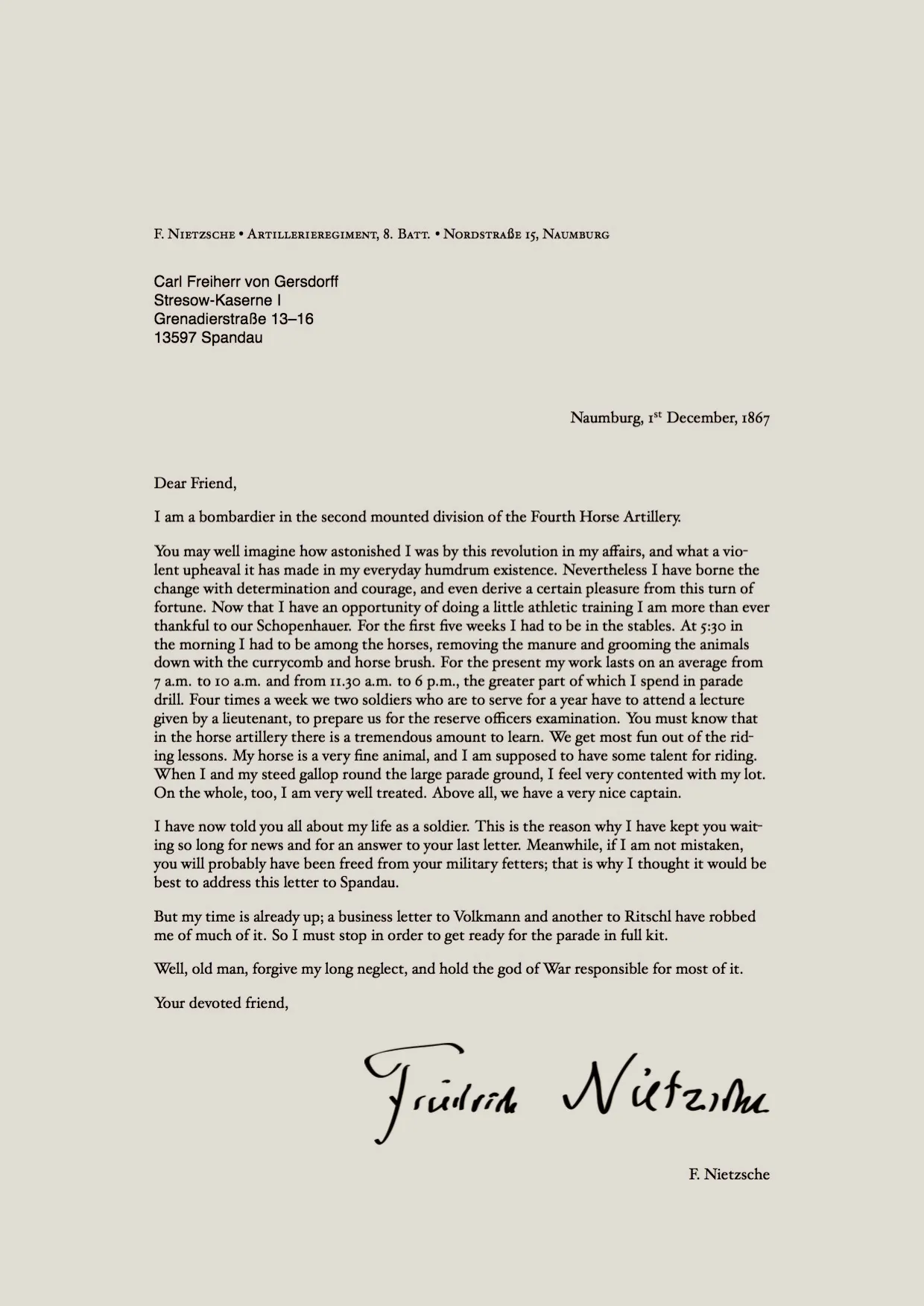
In today’s competitive job market, making a strong first impression is crucial. While your resume showcases your skills and experience, your cover letter provides an opportunity to highlight your personality and demonstrate your genuine interest in the position. LaTeX, a powerful typesetting system, offers a sophisticated way to create professional-looking cover letters. This guide explores the top 7 tips for crafting a compelling LaTeX cover letter that helps you stand out from the crowd and secure your dream job.
Why Use a LaTeX Cover Letter
LaTeX offers several advantages over traditional word processors for creating cover letters. The key advantage is its ability to produce documents with superior formatting and typography. Unlike WYSIWYG (What You See Is What You Get) editors, LaTeX separates content from formatting, allowing you to focus on the substance of your cover letter while ensuring a polished and consistent appearance. This leads to a more professional and refined document that reflects well on your attention to detail.
Benefits of LaTeX for Cover Letters
The benefits of using LaTeX extend beyond aesthetics. LaTeX is particularly useful for mathematical and scientific fields, where you can easily include equations and complex symbols. The consistent formatting ensures that your cover letter looks the same regardless of the recipient’s operating system or software. Furthermore, LaTeX encourages clean code and reproducible results, making it ideal for creating and updating cover letters over time. The system’s text-based approach also leads to smaller file sizes and easier version control using tools like Git.
Tip 1 Choose a Clean and Professional Template

The foundation of a great LaTeX cover letter is a well-designed template. A clean and professional template provides a structured framework, ensuring your content is organized and visually appealing. Look for templates that are easy to read, with clear headings, appropriate spacing, and a consistent layout. A good template saves you time and effort, allowing you to focus on the content rather than the formatting. You can find many free and customizable LaTeX cover letter templates online.
Selecting the Right Template
When selecting a template, consider your field and the type of role you’re applying for. Some templates are more formal, while others offer a more modern design. Choose a template that aligns with your personal brand and the company’s culture. Make sure the template is well-documented and easy to modify to suit your needs. A good template will let you easily change fonts, colors, and layout elements without breaking the overall structure. Ensure it is compatible with the LaTeX editor you’re using (e.g., Overleaf, TeXstudio).
Where to Find LaTeX Cover Letter Templates
There are numerous online resources for finding LaTeX cover letter templates. Websites like Overleaf, GitHub, and CTAN (Comprehensive TeX Archive Network) offer a wide variety of free and open-source templates. Search for “LaTeX cover letter templates” or browse through template collections. Consider searching for templates specifically designed for your industry, as these may include pre-defined sections and formatting tailored to your needs. Be sure to review the template’s documentation for instructions on how to use and customize it.
Tip 2 Customize Your Cover Letter to the Job

Generic cover letters are easily recognized and often discarded. Customization is essential for demonstrating your genuine interest in the specific role and company. Tailoring your cover letter shows that you’ve taken the time to understand the requirements and are a good fit. Each cover letter should be unique, reflecting your understanding of the job description and highlighting relevant skills and experiences.
Researching the Company and Role
Before writing, thoroughly research the company and the specific role. Understand the company’s mission, values, and culture. Review the job description carefully, identifying the key requirements and desired skills. Visit the company’s website, read news articles, and check their social media profiles to gain a comprehensive understanding. This research will help you tailor your cover letter to the specific needs and expectations of the employer.
Tailoring Content for Each Application
Once you’ve researched the company and role, tailor your content. Address the specific requirements outlined in the job description. Highlight your skills and experiences that directly align with the employer’s needs. Use keywords from the job posting to demonstrate your understanding. Provide specific examples of your accomplishments that showcase your value and illustrate how you can contribute to the company’s success. Show, don’t just tell, by backing up claims with concrete evidence.
Tip 3 Use Clear and Concise Language

Clarity and conciseness are vital for effective communication. Use straightforward language that is easy to understand. Avoid overly complex sentences, jargon, and clichés. Your goal is to make your cover letter easy to read and digest. The reader should quickly understand your qualifications and your interest in the position. A well-written cover letter demonstrates your ability to communicate effectively, which is a valuable asset in any role.
Avoiding Jargon and Complex Sentences
Jargon and complex sentences can confuse and alienate the reader. Use plain language and concise phrasing to convey your message clearly. Instead of using industry-specific terms, explain your skills and experiences in a way that anyone can understand. Keep sentences short and to the point. Avoid long paragraphs that can make it difficult for the reader to follow your train of thought. Break up long blocks of text with bullet points and headings for better readability.
Focusing on Achievements and Skills
Instead of simply listing your responsibilities, focus on your achievements and the skills you’ve developed. Quantify your accomplishments whenever possible. Use action verbs to describe your contributions and the results you achieved. Highlight the skills that are most relevant to the job requirements. Frame your experiences in terms of the benefits you brought to previous employers, showcasing your value proposition. Illustrate how your skills and experiences will contribute to the company’s success.
Tip 4 Highlight Relevant Skills and Experience

Your cover letter should be a targeted showcase of your most relevant skills and experiences. Analyze the job description and identify the key requirements. Then, highlight your skills and experiences that directly align with those requirements. Emphasize your accomplishments and quantify your contributions to previous employers. Use keywords from the job description to show that you’re a good fit. Tailor the content of your cover letter to each specific job application.
Structuring Your Experience Section
Organize your experience section logically, focusing on your achievements and skills. Use a clear and concise structure, such as bullet points or brief paragraphs, to highlight your key contributions. Start each bullet point or paragraph with a strong action verb to capture the reader’s attention. Include specific examples that demonstrate your skills and quantify your accomplishments whenever possible. The goal is to show the impact you made in your previous roles.
Quantifying Your Accomplishments
Quantifying your accomplishments adds credibility to your claims. Use numbers, percentages, and specific data to demonstrate the impact you’ve had in previous roles. For example, instead of saying “Improved sales,” state, “Increased sales by 15% within six months.” Quantifying your achievements makes your cover letter more compelling and shows the value you can bring to a potential employer. Concrete numbers and data give your accomplishments more weight and provide tangible proof of your capabilities.
Tip 5 Proofread and Edit Meticulously

Proofreading and editing are critical steps. Typos, grammatical errors, and formatting inconsistencies can undermine your credibility. Carefully review your cover letter for any errors. Consider having a second person review your letter for a fresh perspective. A polished cover letter demonstrates your attention to detail and your commitment to presenting yourself professionally. Taking the time to proofread shows you care about the quality of your application.
Common LaTeX Errors to Avoid
LaTeX can be sensitive to errors. Common mistakes include mismatched parentheses, incorrect use of commands, and formatting issues. To avoid these, preview your LaTeX document frequently. Double-check your code for syntax errors. Make sure you’re using the correct packages and commands. Using a LaTeX editor with syntax highlighting can help you identify and correct errors more easily. Always compile your document to check for any compilation errors before submitting.
Using Spell Check and Grammar Tools
Utilize spell check and grammar tools to catch any errors in your writing. Most LaTeX editors and word processors have built-in spell checkers and grammar checkers. Proofread your document carefully, even after running these tools. Consider using online grammar checkers to further refine your writing. A thorough review will help you ensure your cover letter is error-free and presents you in the best possible light. These tools can catch mistakes you might otherwise miss.
Tip 6 Format Your Cover Letter Correctly

Formatting your cover letter correctly is essential. Use a professional font, consistent margins, and appropriate spacing. LaTeX’s powerful formatting capabilities allow you to create a visually appealing and easy-to-read document. Proper formatting reflects your attention to detail and enhances the overall presentation of your cover letter. Consistent formatting ensures your document looks professional and well-organized, making it more pleasant to read.
Margins and Spacing
Use standard margins (typically 1 inch on all sides) and appropriate spacing between paragraphs and lines. Ensure consistent spacing throughout the document. LaTeX provides easy-to-use commands for setting margins and line spacing. Avoid crowding text or leaving too much blank space. A well-formatted cover letter is easy to read and visually appealing, making a positive impression on the hiring manager.
Font Choices
Choose a professional and legible font, such as Times New Roman, Arial, or Helvetica. Avoid using overly fancy or decorative fonts that might distract the reader. Ensure the font size is appropriate for readability. Keep the font consistent throughout the document. The goal is to present a clean, professional appearance that makes your cover letter easy to read. Choose a font that aligns with the overall tone and style of your application.
Tip 7 Save and Submit in PDF Format
Always save and submit your LaTeX cover letter in PDF format. PDF ensures that your formatting remains consistent across different devices and operating systems. The recipient will see the document exactly as you intended, regardless of their software. Submitting in PDF also enhances the professionalism of your application. This prevents any issues with formatting changes or compatibility problems and guarantees that your cover letter displays correctly.
Ensuring Compatibility and Professionalism
PDF is the standard format for professional documents. It ensures that your cover letter looks the same for everyone, maintaining the integrity of your design. By submitting in PDF, you avoid any potential issues with font substitutions or formatting inconsistencies. Before submitting, double-check that your PDF is properly formatted and that all content is displayed correctly. This will help ensure that your cover letter makes a positive impression.
How to Convert LaTeX to PDF
Converting your LaTeX document to PDF is straightforward. Most LaTeX editors have a “compile” or “generate PDF” button that will automatically create a PDF file. If you’re using a command-line interface, you can use the pdflatex command. Ensure your LaTeX code compiles without errors. The result is a professional PDF cover letter ready for submission. Once you have a PDF, you can easily share it with potential employers.
By following these seven tips, you can create a compelling LaTeX cover letter that showcases your skills and experience, and significantly increases your chances of landing an interview. Remember to tailor your cover letter to each job application, proofread meticulously, and always save and submit in PDF format. With a well-crafted LaTeX cover letter, you’ll be well on your way to achieving your career goals.